
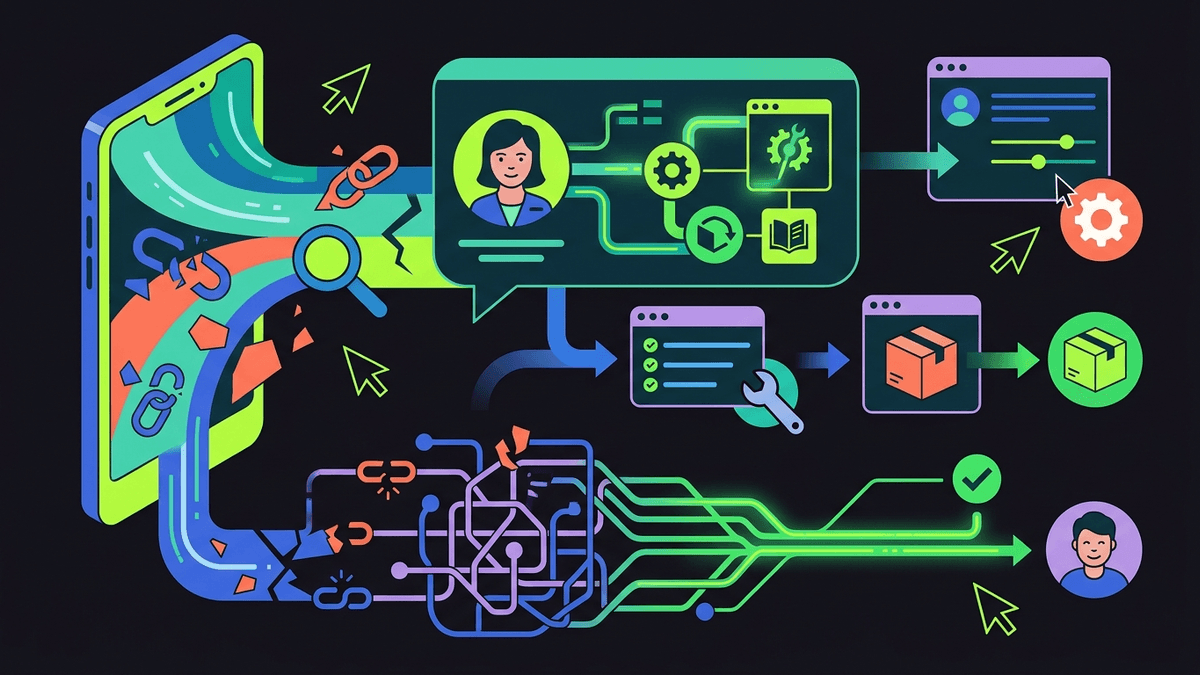
TL;DR: In-app customer support works because it removes the two biggest costs of a ticket, context loss and channel switching, but only if the tool can see the screen and take action, not just answer in a chat window.
Most support still happens the slow way: a user leaves your product, opens an email or a help center tab, describes a problem they can't quite articulate, and waits. Industry surveys on support benchmarks consistently show first response times measured in hours, not minutes, for email and ticket-based channels, even though the underlying question is usually something the product itself could have answered in the moment.
The channel problem no one wants to admit
A large share of support volume, often estimated at somewhere around half to two-thirds depending on the product category, is really navigation and "how do I" questions, not bugs. That's a routing failure as much as a support failure. The user is already inside the product when the confusion happens, and then support asks them to leave the product to get help.
Every hop adds cost:
- The user has to re-describe what they were doing, because the new channel has no idea what screen they were on.
- Support has to reconstruct context from scratch, which is most of why average handle time stays stubbornly high even as ticket volume grows.
- A meaningful chunk of tickets get resolved with an answer the user could have self-served, if it had shown up at the right second, in the right place.
We've written before about how ticket deflection metrics hide this: a bot can "deflect" a ticket by giving a vague answer that doesn't fix anything, and it still counts as a win in the dashboard. In-app support done well isn't about deflecting, it's about resolving before the user ever has reason to leave.
Where in-app support actually wins
The honest case for in-app customer support isn't that it's a nicer-looking chat widget. It's that being physically present on the screen changes what's possible:
- It can see what the user sees. No re-explaining, no screenshots, no "which page are you on."
- It can point, not just describe. Highlighting the actual button beats three paragraphs of instructions, which is the entire idea behind showing guidance on the live screen instead of linking to a help article.
- It can act, with confirmation. A refund, a plan change, a password reset. If the answer is a task, doing the task is strictly better than explaining how to do it.
- It knows when to stop. The moment a request needs judgment or exceeds its scope, a good in-app agent should hand off with the full session attached, not just a chat transcript with no context.
This is also where the data gets genuinely useful instead of vanity-metric useful. Every stuck point, every rage click, every abandoned flow is a signal about where your product's design and your documentation disagree with each other. Tracked well, that becomes stuck-point analytics your product team can actually act on, not just a support KPI.
What breaks in-app support
In-app support fails in fairly predictable ways, and it's worth naming them because most vendors won't:
- Answering with stale docs. If the underlying knowledge base isn't kept current, the in-app agent just moves the wrong answer closer to the user, faster. We've argued elsewhere that most AI support tools are structurally incentivized to sound confident rather than be right, and an in-app widget doesn't fix that incentive on its own.
- Talking instead of doing. A chat bubble that describes the steps to cancel a subscription hasn't actually helped anyone. We've made this argument at length: AI support should do things, not just say things.
- No escalation path with context. If the handoff to a human drops everything the AI already knows, you've just added a step, not removed one.
- Security handwaving. Any agent that executes account actions needs a clear, checkable answer to what it can see and touch. If a vendor can't explain what it never sees, that's a red flag, not a technicality.
The pattern across all four is the same: in-app support only pays off if the system underneath is trustworthy and current. A pretty widget bolted onto stale docs and no action layer is just a slower help center with better branding.
If you're evaluating tools, it's worth comparing what "in-app" actually means across vendors, since Intercom Fin, Chatbase, and Pendo all use the term differently, and transparent pricing is a decent proxy for how confident a vendor is in its own product.
FAQ
What does in-app customer support mean?
In-app customer support means the help experience happens inside the product itself, on the same screen where the user hit a problem, instead of routing them to email, a separate chat tool, or an external help center. The defining feature is context: the support tool can see what the user is looking at, which cuts the back-and-forth needed to diagnose a problem.
Is in-app support the same as a chatbot?
No. A chatbot can live inside an app and still just answer questions in text, while true in-app support includes showing guidance directly on the live screen and executing backend actions like refunds or plan changes with user confirmation, which a chat-only bot cannot do.
Does in-app support reduce ticket volume?
It can, but only when it resolves the underlying issue rather than deflecting the conversation elsewhere; research on support automation generally shows that answers without follow-through get reopened as tickets anyway. The more reliable gain is faster resolution and lower handle time, since the agent already has full context instead of the user re-explaining everything from scratch.